Break Free from Adobe: Affinity’s One-Time Payment for Lifetime Design Software
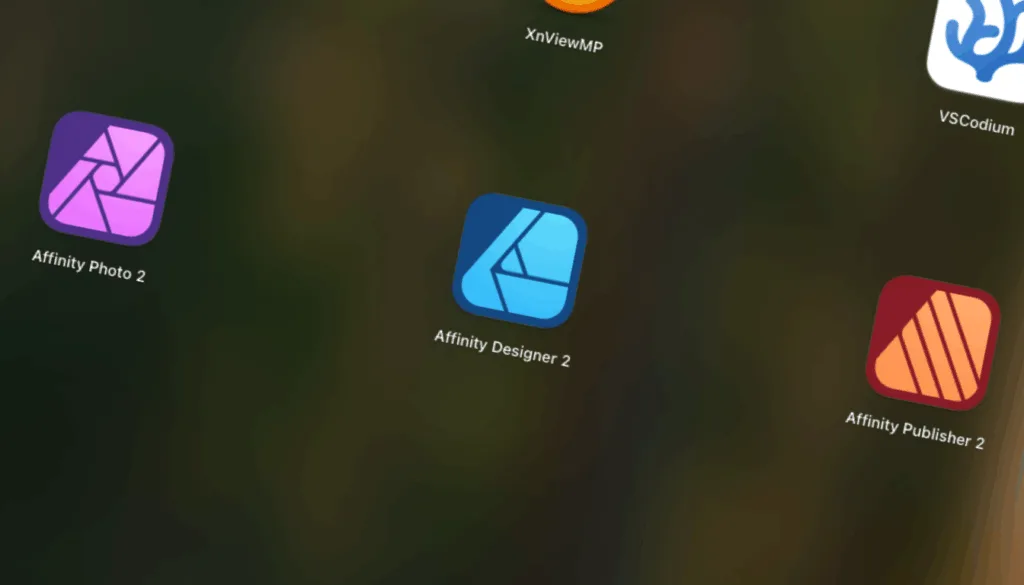
Many designers have long felt trapped by Adobe’s subscription model, facing rising costs and complex licensing. Serif Affinity breaks these chains, offering a one-time purchase that provides lifetime software access. Moreover, the suite delivers professional-grade capabilities that rival—and in many cases exceed—traditional Adobe offerings.
Comparing the two suites
Core Application Set – The Affinity suite comprises three standalone programs, Designer for vector graphics, Photo for raster editing, and Publisher for layout and desktop publishing. Together they address the primary design workflow stages: logo and illustration creation, photo retouching, and multi‑page document production. Adobe Creative Cloud, by contrast, bundles a much larger family of apps (Photoshop, Illustrator, InDesign, Premiere Pro, After Effects, Lightroom, etc.) under a single subscription, providing a single ecosystem that spans 2‑D graphics, video, motion design, and photography, which is especially useful for teams that need a broad range of media‑creation tools.
Interface & Workflow – Affinity’s UI is intentionally minimalist and consistent across Designer, Photo, and Publisher, with a unified toolbar and panel layout. The “Edit in…” command lets users jump seamlessly between the three apps without leaving the project, reducing context‑switching and accelerating the learning curve. Adobe’s interfaces are richer and highly customizable, offering extensive panels, presets, and deep integration points such as Creative Cloud Libraries and Cloud Documents. This flexibility empowers power users and collaborative teams but can feel more complex for newcomers. Affinity therefore leans toward a “learn‑once‑use‑anywhere” philosophy, while Adobe provides a granular control surface suited to elaborate, multi‑disciplinary pipelines.
Advanced Capabilities – Adobe leads with AI‑driven tools (Generative Fill, Firefly, Sensei‑based masking), robust cloud‑based collaboration (shared libraries, version history), and a massive third‑party plug‑in marketplace that extends functionality into niche areas like 3‑D, AR, and advanced video effects. Affinity has introduced its own AI‑enhanced features—such as in‑paint removal and smart selections—and supports many 64‑bit Photoshop plug‑ins, but it does not yet match Adobe’s breadth of generative and cloud services. Conversely, Affinity’s native engine delivers notably faster performance on modest hardware, and its universal license works across Windows, macOS, and iPad without additional layers, offering a streamlined, high‑performance alternative for creators focused on core design tasks.
How the pricing compares
| Metric | Adobe Creative Cloud | Affinity (All‑Apps) |
|---|---|---|
| Initial outlay | $0 (but you must start a subscription) | $164.99 one‑time |
| First‑year cost | $719.88 (annual) or $1,080 (monthly) | $164.99 (covers the whole year and beyond) |
| Cost after 3 years | $2,159.64 (annual) – and it will rise after June 2025 | Still $164.99 (unless you choose to buy a new major version) |
| Payment model | Ongoing subscription, price can increase | Fixed, perpetual license |
| Update policy | Continuous updates as part of the subscription | Updates included for the license generation (e.g., V2); major new generations may require a new purchase. |
One‑time purchase advantage
Affinity Serif sells each of its three core apps (Designer, Photo, Publisher) for a flat fee or bundles them with a universal license that works on Windows, macOS and iPad. Once you pay, you own the software forever and receive all updates that belong to that license generation at no extra cost. Over a three‑year horizon the total outlay stays at roughly $165, regardless of how often you use the programs, which translates into a cost saving of $550‑$900 compared with Adobe’s Creative Cloud All‑Apps plan that currently costs $59.99 per month (about $720 per year) and is slated to rise to $69.99 per month later in 2025. The one‑time model eliminates recurring billing, reduces budgeting complexity, and protects you from inevitable price hikes that subscription services regularly apply.
Subscription model drawback
Adobe Creative Cloud bundles a much larger suite of tools (Photoshop, Illustrator, InDesign, Premiere Pro, After Effects, etc.) and ties them to a continuous subscription. The cheapest annual‑paid‑monthly plan is $59.99 / mo, which already exceeds the entire Affinity bundle after just three months, and the price will climb to $69.99 / mo once the current contracts expire. Over time the subscription cost compounds: after two years you’ll have spent roughly $1,440, and after five years the total surpasses $3,600, not counting future increases. While the subscription grants you instant access to every new feature and cloud‑based services, the financial commitment is substantially higher, making the one‑time purchase a far more economical choice for individuals or small teams that don’t need the full Adobe ecosystem.
How it started vs How it’s going
Affinity Serif originally launched as a macOS‑only application back in 2014, targeting designers who worked on Apple’s platform and taking advantage of macOS’s graphics stack. With the release of Version 2 (often called the “Universal License”) in 2022, Serif rewrote the core engine to be truly cross‑platform, adding native Windows binaries and extending full feature parity to the PC market. Today the same installer runs on Windows, macOS and even iPad, letting users buy a single license that works everywhere—a major shift from its early, Mac‑exclusive roots.
Speed is King
Affinity Serif’s apps generally feel about 30 %–45 % faster than their Adobe counterparts when handling similarly sized projects: users report noticeably quicker panning, zooming, and filter rendering in Affinity Designer and Photo, especially on mid‑range CPUs and without a dedicated GPU, whereas Adobe Photoshop, Illustrator or InDesign often need higher‑end hardware to achieve comparable responsiveness. This speed advantage comes from Affinity’s lean, native engine and lack of constant cloud‑sync background services, so routine edits and file‑opens finish in seconds rather than the occasional pause you might experience with Adobe’s more feature‑heavy, subscription‑based suite.
Did Someone say Photoshop Plugins?
Affinity Photo 2 can run many 64‑bit Photoshop plug‑ins that use the standard filter API; simply place the DLL in Affinity’s plug‑in folder and it appears alongside native filters, processing image data just as in Photoshop. Popular 64‑bit filters such as the Nik Collection, Topaz Labs, and various DxO or ON1 modules have been reported to work in Affinity Photo 2 after installing them in the proper directory, often requiring only minor setting tweaks for full functionality.
Personal Experience
I have personally been using Serif’s Affinity Suite since late November of 2019 when looking for a Photoshop replacement that I could buy once and use forever. I was lucky enough to act on a Black Friday deal that gave me a significant discount. That savings lead me to learning the other software offered in Serif’s suite and helped me personally migrate away from Adobe Creative Cloud. With the release of Serif’s Version 2, I once again found myself in a money saving situation of a Black Friday deal in 2023, allowing me to purchase the entire suite for a nice discount. The cost savings alone have made Serif’s Affinity Suite an essential tool and a viable Adobe replacement.
In Conclusion
Serif’s Affinity Suite offers a compelling alternative to Adobe Creative Cloud for creative professionals seeking a one-time purchase software solution. Adobe provides a far larger ecosystem, including Photoshop, Illustrator, InDesign, Premiere Pro, and AI‑driven tools such as Generative Fill, plus deep cloud collaboration and an extensive plug‑in marketplace. However, Adobe’s breadth brings higher memory and CPU demands and a subscription cost that grows over time. Choose Affinity for speed, simplicity, and cost efficiency; choose Adobe for overall maximum feature depth, collaborative workflows, and flexibility.
BONUS: A Free Alternative to Adobe Bridge
XnViewMP is a solid, free alternative to Adobe Bridge for organizing, previewing, and batch‑processing large image collections. It supports over 500 file formats, offers customizable thumbnail views, keyword tagging, rating systems, and powerful batch‑rename and conversion tools—all without the subscription cost or heavy resource usage of Bridge.